Getting started with PHP
Live updates, chat, who is online, calls and group calls in a PHP app without a framework, or with Symfony, Slim or your own, through WordPlus Cloud. Two packages:
- Your server (
wordplus/realtime-php) declares your rooms once, says who may join them and call whom, and sends events to rooms and to users. In plain PHP it is one route and a few rules. - The page (
@wordplus/realtime, from npm) connects to WordPlus Cloud, joins rooms, and sends and gets events:emit,emitWithAck,volatile.
What goes through WordPlus Cloud is sealed with keys only your server and the browsers of your users hold. Ready-made parts come with it, all optional: the Better Messages chat, its list of who is online and its call screen. For Laravel, its own guide uses the Laravel broadcasting. The example app is a whole shop built this way.
PHP can run websockets with a server of its own. Why WordPlus Cloud says what the cloud runs for you, and what it adds.
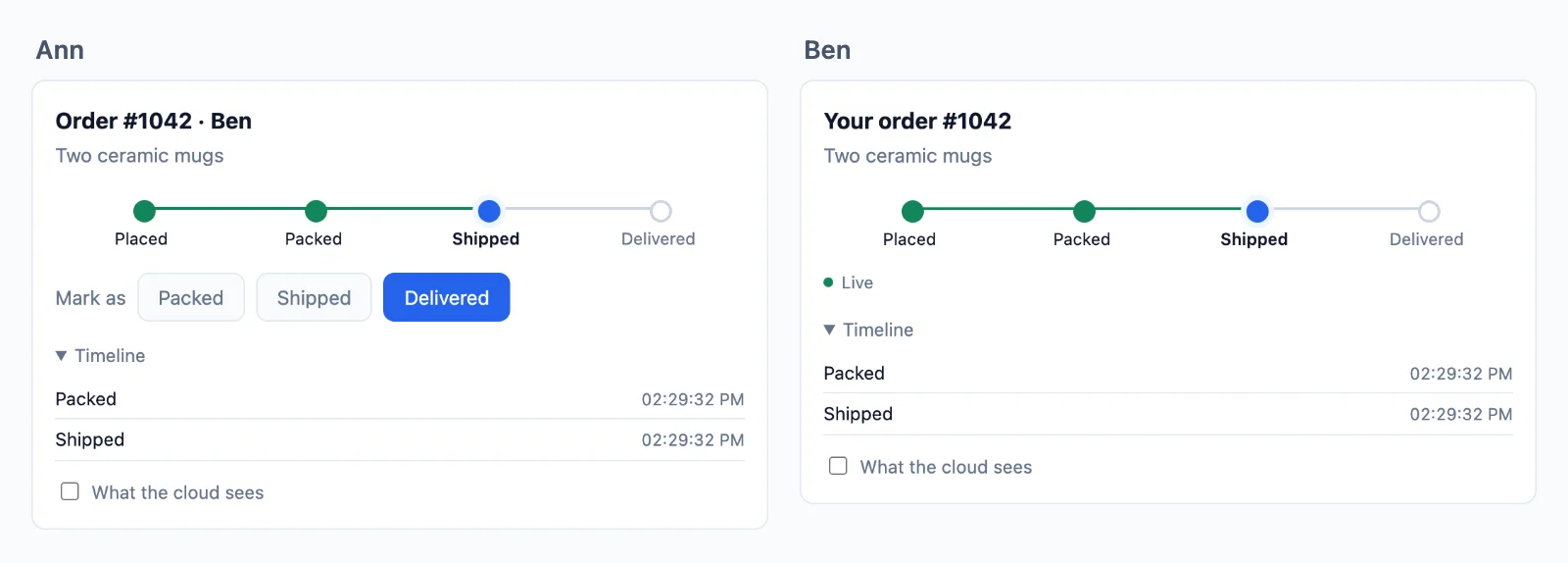
Try it live at php.docs.wordplus.cloud: the example app of this guide as a demo, a shop of your own for a day, with Ben and Cara opening in windows of their own.
1. Your app in WordPlus Cloud
In your WordPlus Cloud account, go to Apps → Add app. Name it, and list the addresses its pages are served from: https://shop.example.com, and http://localhost:8000 while you develop. Only pages on those addresses may connect.
You get the app key, public because every page carries it, and its secret, for your server only. Make a local key of your own too: everything sealed is sealed with keys derived from it, and it never leaves your servers.
WORDPLUS_SITE=s1500000007
WORDPLUS_SECRET=…
WORDPLUS_LOCAL_KEY=…        # openssl rand -hex 32; the same on every server of the app, kept as long as the app
2. Install
composer require wordplus/realtime-php      # PHP 8.1 or later, with sodium
npm install @wordplus/realtime
npx wordplus-realtime copy public/          # the worker, the room client and the script of the components
The worker lets the tabs of a user share one connection, the room client runs group calls, and realtime-ui.min.js is the ready-made parts. Copy them again after every update of the npm package, in your build.
3. Your server
// src/realtime.php, required by every request that needs it
use WordPlus\Realtime\Realtime;

$realtime = Realtime::fromEnvironment( [   // WORDPLUS_SITE, WORDPLUS_SECRET, WORDPLUS_LOCAL_KEY
    'worker' => '/realtime-worker.js',
    'rooms' => '/realtime-rooms.min.js',
    // What others see of a user: in presence, calls and the directory.
    'profile' => fn ( $user ) => ( $u = find_user( $user ) ) ? [ 'name' => $u->name, 'avatar' => $u->avatar_url ] : null,
] );

// The room of an order: its customer may join, and the last 20 updates are kept.
$realtime->room( 'order:{id}', fn ( $user, array $p ) => null !== $user && order_owner( $p['id'] ) === $user, [ 'history' => 20 ] );
// public/index.php, or your router: POST /api/realtime/auth, /calls, /keys and /webhook, for the user of the session
if ( preg_match( '#^/api/realtime/(auth|calls|keys|webhook)$#', parse_url( $_SERVER['REQUEST_URI'], PHP_URL_PATH ), $route ) ) {
    session_start( [ 'read_and_close' => true ] );
    $realtime->respond( $route[1], $_SESSION['user_id'] ?? null );
    exit;
}
- The user is whatever id your app knows them by, an integer or a string, or
nullfor nobody. - The pattern of a room names its parts:
order:{id}matchesorder:1042, and the rule gets[ 'id' => '1042' ]. - The routes take JSON POSTs only. A page on another site cannot send one without asking first, and it is never allowed, so they need no CSRF token.
- In a framework,
$realtime->answerRequest( $method, $contentType, $action, $body, $user )gives[ 'status', 'body' ]to answer with, and$realtime->webhook( $body, $headers, $path )the same for the webhook.
4. The page
Render the user settings into the page, so it connects with no request first:
<script type="application/json" id="realtime"><?= json_encode( $realtime->config( $userId ), JSON_HEX_TAG | JSON_HEX_AMP ) ?></script>
<script type="module" src="/order.js"></script>
// order.js, through your bundler (esbuild, Vite, webpack)
import { connect } from '@wordplus/realtime';

const rt = await connect( JSON.parse( document.getElementById( 'realtime' ).textContent ) );

const order = rt.join( 'order:1042' );
order.on( 'updated', ( data ) => showStatus( data.status ) );
order.on( 'error', ( e ) => console.warn( e.code ) );   // forbidden, no_rule …
5. Send
After your own work is saved:
$realtime->to( 'order:1042' )->emit( 'updated', [ 'status' => 'shipped' ] );
Everyone in the room gets { status }, sealed with the room key on the way, and a page that reconnects later gets it from the room history.
Next
- Rooms, presence and who is online, sending from your server and events from the page, with the ready-made chat
- Calls and group calls, with the call screen
- Encryption and your users
- Customizing the screens: their look, a piece of your own, or their whole code
- Deploying, and the example app
- The PHP reference, the browser reference, errors and limits