Getting started with Express
Live updates, chat, who is online, calls and group calls in an Express app, through WordPlus Cloud. @wordplus/realtime is both halves:
- Your server (
@wordplus/realtime/server) declares your rooms once, says who may join them and call whom, and sends events to rooms and to users. In Express it is one router and a few rules. - The page (
@wordplus/realtime) connects to WordPlus Cloud, joins rooms, and sends and gets events:emit,emitWithAck,volatile.
What goes through WordPlus Cloud is sealed with keys only your server and the browsers of your users hold. Ready-made parts come with it, all optional: the Better Messages chat, its list of who is online and its call screen. The example app is a whole shop built this way.
Your framework can run websockets of its own. Why WordPlus Cloud says what the cloud runs for you, and what it adds.
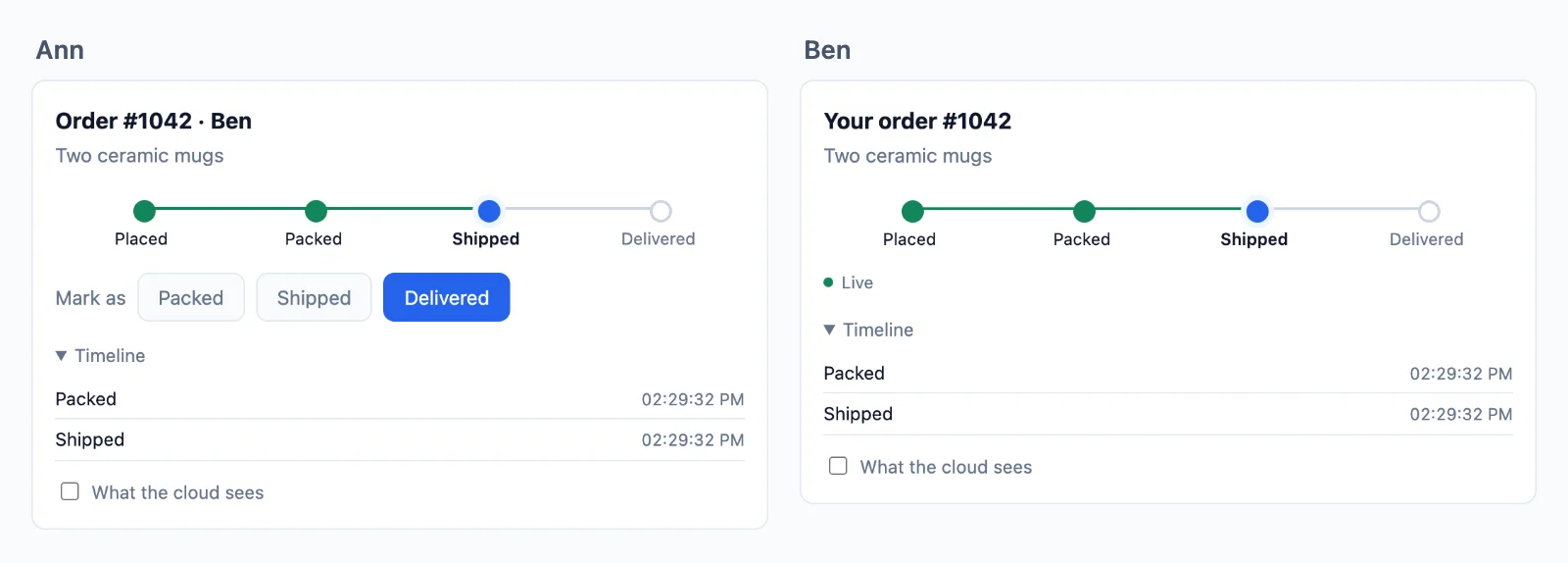
Try it live at express.docs.wordplus.cloud: the example app of this guide as a demo, a shop of your own for a day, with Ben and Cara opening in windows of their own.
1. Your app in WordPlus Cloud
In your WordPlus Cloud account, go to Apps → Add app. Name it, and list the addresses its pages are served from: https://shop.example.com, and http://localhost:3000 while you develop. Only pages on those addresses may connect.
You get the app key, public because every page carries it, and its secret, for your server only. Make a local key of your own too: everything sealed is sealed with keys derived from it, and it never leaves your servers.
# .env
WORDPLUS_SITE=s1500000007
WORDPLUS_SECRET=…
WORDPLUS_LOCAL_KEY=…        # openssl rand -hex 32; the same on every server of the app, kept as long as the app
2. Install
npm install @wordplus/realtime
npx wordplus-realtime copy public/      # the worker, the room client and the script of the components
The worker lets the tabs of a user share one connection, the room client runs group calls, and realtime-ui.min.js is the ready-made parts. Copy them again after every update of the package, or let a script do it:
"scripts": { "postinstall": "wordplus-realtime copy public" }
3. Your server
// server.mjs
import express from 'express';
import session from 'express-session';
import { createRealtime } from '@wordplus/realtime/server';

const realtime = createRealtime( {
    site: process.env.WORDPLUS_SITE,
    secret: process.env.WORDPLUS_SECRET,
    localKey: process.env.WORDPLUS_LOCAL_KEY,
    worker: '/realtime-worker.js',
    rooms: '/realtime-rooms.min.js',
    // What others see of a user: in presence, calls and the directory.
    profile: async ( user ) => {
        const person = await db.users.find( user );
        return person ? { name: person.name, avatar: person.avatarUrl } : null;
    },
} );

// The room of an order: its customer may join, and the last 20 updates are kept.
realtime.room( 'order:{id}', { history: 20 }, async ( user, { id } ) => {
    const order = await db.orders.find( id );
    return order !== null && order.customerId === user;
} );

const app = express();
app.use( session( { secret: process.env.SESSION_SECRET, resave: false, saveUninitialized: false } ) );

// POST /api/realtime/auth, /calls, /keys and /webhook, for the user of the session. Before express.json(), so the body
// of a webhook is checked as it was sent.
app.use( '/api/realtime', realtime.node( ( req ) => req.session.userId ?? null ) );

app.use( express.json() );
app.use( express.static( 'public' ) );
- The user is whatever id your app knows them by, a number or a string, or
nullfor nobody. With Passport,( req ) => req.user?.id ?? null. - The pattern of a room names its parts:
order:{id}matchesorder:1042, and the rule gets{ id: '1042' }. - The routes take JSON POSTs only. A page on another site cannot send one without asking first, and it is never allowed.
4. The page
Render the user settings into the page, so it connects with no request first:
app.get( '/orders/:id', async ( req, res ) => {
    const config = await realtime.config( req.session.userId ?? null );
    res.render( 'order', { order: await db.orders.find( req.params.id ), config } );
} );
<script type="application/json" id="realtime"><%- JSON.stringify( config ).replace( /</g, '\\u003c' ) %></script>
<script type="module" src="/order.js"></script>
// order.js, through your bundler (esbuild, Vite, webpack)
import { connect } from '@wordplus/realtime';

const rt = await connect( JSON.parse( document.getElementById( 'realtime' ).textContent ) );

const order = rt.join( 'order:1042' );
order.on( 'updated', ( data ) => showStatus( data.status ) );
order.on( 'error', ( e ) => console.warn( e.code ) );   // forbidden, no_rule …
connect( { app: 's1500000007' } ) works too: the page then asks /api/realtime/keys for the user keys before it connects.
5. Send
After your own work is saved:
app.post( '/orders/:id/status', async ( req, res ) => {
    const order = await db.orders.setStatus( req.params.id, req.body.status );
    await realtime.to( `order:${ order.id }` ).emit( 'updated', { status: order.status } );
    res.json( { ok: true } );
} );
Everyone in the room gets { status }, sealed with the room key on the way, and a page that reconnects later gets it from the room history.
Next
- Rooms, presence and who is online, sending from your server and events from the page, with the ready-made chat
- Calls and group calls, with the call screen
- Encryption and your users
- Customizing the screens: their look, a piece of your own, or their whole code
- Deploying, and the example app
- The server reference, the browser reference, errors and limits