Presence in Express
Three ways to show people: a presence room lists who is in it to everyone in it (who is in the shop, who is viewing a document). A count says how many, at any size. And who is online is known across your whole app, for a dot on every avatar.
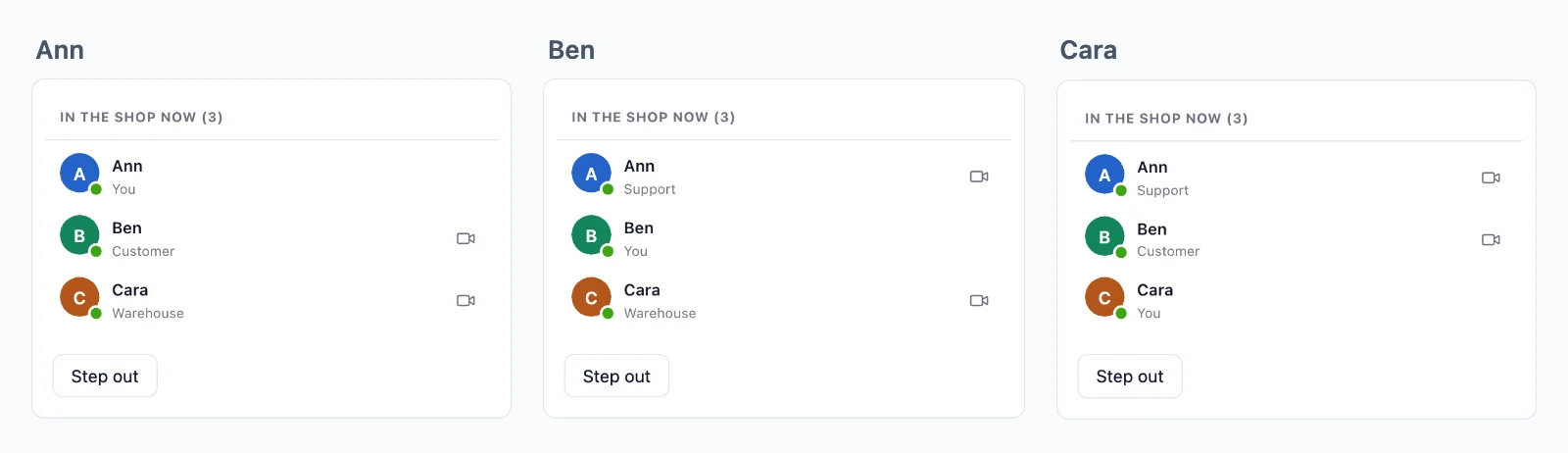
A presence room
// Who is in the shop: everyone signed in, with their name and role.
realtime.room( 'shop', { presence: true }, async ( user ) => {
    const person = user === null ? null : await db.users.find( user );
    return person ? { info: { name: person.name, role: person.role } } : false;
} );
infois what the others see of the member: a name, a role, anything small (up to 4 KB). It is sealed with the room key.- Up to 1,000 members are listed in full, with
joinandleave. Past that, the room counts them, andmembers()pages through them, up to 100,000.
const shop = rt.join( 'shop' );
const draw = () => list( [ ...shop.members ] );        // [ [ id, info ], … ]
shop.on( 'joined', draw );                             // the members as the page joins
shop.on( 'join', ( { id, info } ) => draw() );
shop.on( 'leave', ( { id } ) => draw() );
A user is a member once, however many tabs and devices they have in the room, and leaves when the last one does.
Counting
count: true gives a room a live count, without a list:
realtime.room( 'product:{id}', { public: true, count: true } );
const product = rt.join( 'product:7' );
product.on( 'count', ( n ) => showLooking( n ) );   // at most once a second
A presence room counts too. product.count holds the latest.
Who is online, across your app
Every page whose user your server vouched for makes that user online. They go offline 10 seconds after their last page closes, so a reload does not flicker.
rt.online.watch( [ 34, 43 ] ).on( 'change', ( { id, online, at } ) => dot( id, online ) );
rt.online.has( 34 );          // true or false, for a user watched
rt.online.lastSeen( 43 );     // when, in ms, for one offline
rt.online.on( 'count', ( n ) => showOnline( n ) );   // how many are online, live
- A page watches up to 1,000 users, and gets their status now and every change.
- Your server asks too:
await realtime.online.has( 42 ),.count(),.list(). - Hiding: a user who chose not to show their status is never online to anyone:
const realtime = createRealtime( {
    // …
    hidden: async ( user ) => ( await db.users.find( user ) )?.hideStatus === true,
} );
Ready-made: who is online
The Better Messages list of members, on a presence room, with a call button for each of the others. It is one element:
<wordplus-online room="shop" title="In the shop now" call="support:{pair}" type="video"></wordplus-online>
<wordplus-online-count room="product:7"></wordplus-online-count>
await rt.callScreen(); // loads the elements and the call screen, rt.ui() the elements without calls
callnames the call the button of each row places:{pair}is the two user ids in order (support:34:42),{me}and{id}each one. Without it, the rows have no button.typeisvideo,audio, or both:type="audio video".- Names and pictures come from the member info, then from your directory.
- Its look is that of Better Messages, in a shadow root: your page styles do not reach in, and its colours are CSS custom properties your page sets.
More, with PHP and Python side by side: presence in depth.