Calls in FastAPI
Calls between two people that ring in every tab and device the callee has open, group calls on the WordPlus Cloud media servers, and the Better Messages call screen: the buttons, the ring and the call window, with no call code. The media of a call is encrypted end to end, with keys your server gives out.
- A call between two people connects on three paths, tried in turn: directly between the two devices, through our relays (TURN) on the ports of the web, 443 and 80, when a network blocks that, and through our media servers when even the relays cannot reach. It moves from one to the next without hanging up, and takes no credits on any path.
- Group calls have no limit on people. The people on video up to the floor of your plan take no credits, a person on audio counting half, and each one above takes a credit a minute from your account (limits).
- How a call and a group call start, run and end: how calls work.
- Step by step: calls from a button, team meetings, consultations by booking, classes, webinars and audio rooms, and waiting rooms and breakout rooms.
Who may call
Every call has a name your app gives it: support:34:42 for a call between agent 34 and customer 42, meeting:daily for the daily meeting. A page that calls, answers or joins asks your server first, through the calls route, and a rule answers: a function your server declares once for every call whose name fits a pattern, as it declares rooms. WordPlus Cloud then holds the page to the answer (permissions).
These rules say:
- A support call,
support:34:42, is for the two people in its name. - One of them is staff.
- A call of a pro member,
pro:42:7, is for the two people in its name too. - Whoever is called may answer, and only a pro member calls.
- The daily meeting,
meeting:daily, a group call, is hosted by staff: they mute the others, let them speak or make them listeners, and take them out. - Everyone else signed in joins it. A page with nobody signed in is refused before any rule runs.
The rules are plain functions: the calls route runs them on a worker thread, so they query your database the plain way.
# app.py
# A support call, such as support:34:42.
def may_call(user, with_user, p):
    # 1. The two people in the name: user 42 is "42" there, user_2abc itself.
    pair = (p["a"], p["b"])
    if str(user) not in pair or str(with_user) not in pair:
        return False

    # 2. One of them is staff.
    return is_staff(user) or is_staff(with_user)

realtime.calls("support:{a}:{b}", may_call)

# A call of a pro member, such as pro:42:7. call is its name, and side says which side asks.
def may_call_pro(user, with_user, p, call, side):
    # 3. The two people in the name.
    pair = (p["a"], p["b"])
    if str(user) not in pair or str(with_user) not in pair:
        return False

    # 4. Whoever is called may answer, and only a pro member calls.
    if side["role"] == "callee":
        return True
    return is_pro(user)

realtime.calls("pro:{a}:{b}", may_call_pro)

# The daily meeting, meeting:daily: a group call.
def may_join_meeting(user, p):
    # 5. Staff host it.
    if is_staff(user):
        return {"admin": True}

    # 6. Everyone else signed in joins it.
    return True

realtime.group_calls("meeting:{id}", may_join_meeting)
with_useris the other person: whomusercalls, or who callsuser. Your server is asked again when the callee answers, with the callee asuser.callandside, the fourth and fifth arguments when the rule takes them, are the call name (pro:42:7) and which side asks:side["role"]iscallerorcallee. A rule that says yes to every callee and checks only callers lets people answer calls they may not place.- The answer:
False,True, or a dict:info(what the others see ofuser: yourprofileby default), and in a group callpublish,subscribe,adminandhidden. adminmakes them its host, who mutes the others, lets them speak or makes them listeners, and takes them out. Your calls route asks this rule again for each of those, and does it only for a host (permissions).- A host in the call screen has the host buttons on the tile of each of the others: Manage Participant opens Mute Microphone, Stop Camera & Mic and Allow Camera & Mic (Demote to Viewer and Promote to Speaker in an audio call), and Remove from Call.
- A host on a page of your own does the same with
group.moderate( act, user ):mute,speak,listenorremove(your own call interface). - Your server does it with no page open:
realtime.call(name).mute(),.permit(),.remove()and.end(), off the event loop (from your server). - The rooms of a group call can be encrypted end to end too:
realtime.group_calls("meeting:{id}", rule, encrypt=True). The rooms that come from a call always are. - User ids are yours: a number, or text such as
user_2abcorauth0|5f7c, up to 64 characters with no space. A rule gets an id of digits as a number and any other as text, so compare them with the name as text. An id calls cannot take is refused withno_user.
The calls route (/api/realtime/calls) is already among the answers of wr.router().
The call screen
Optional, as every ready-made part: your own call interface below places, answers and draws calls with no element, and your own interface has the whole of it.
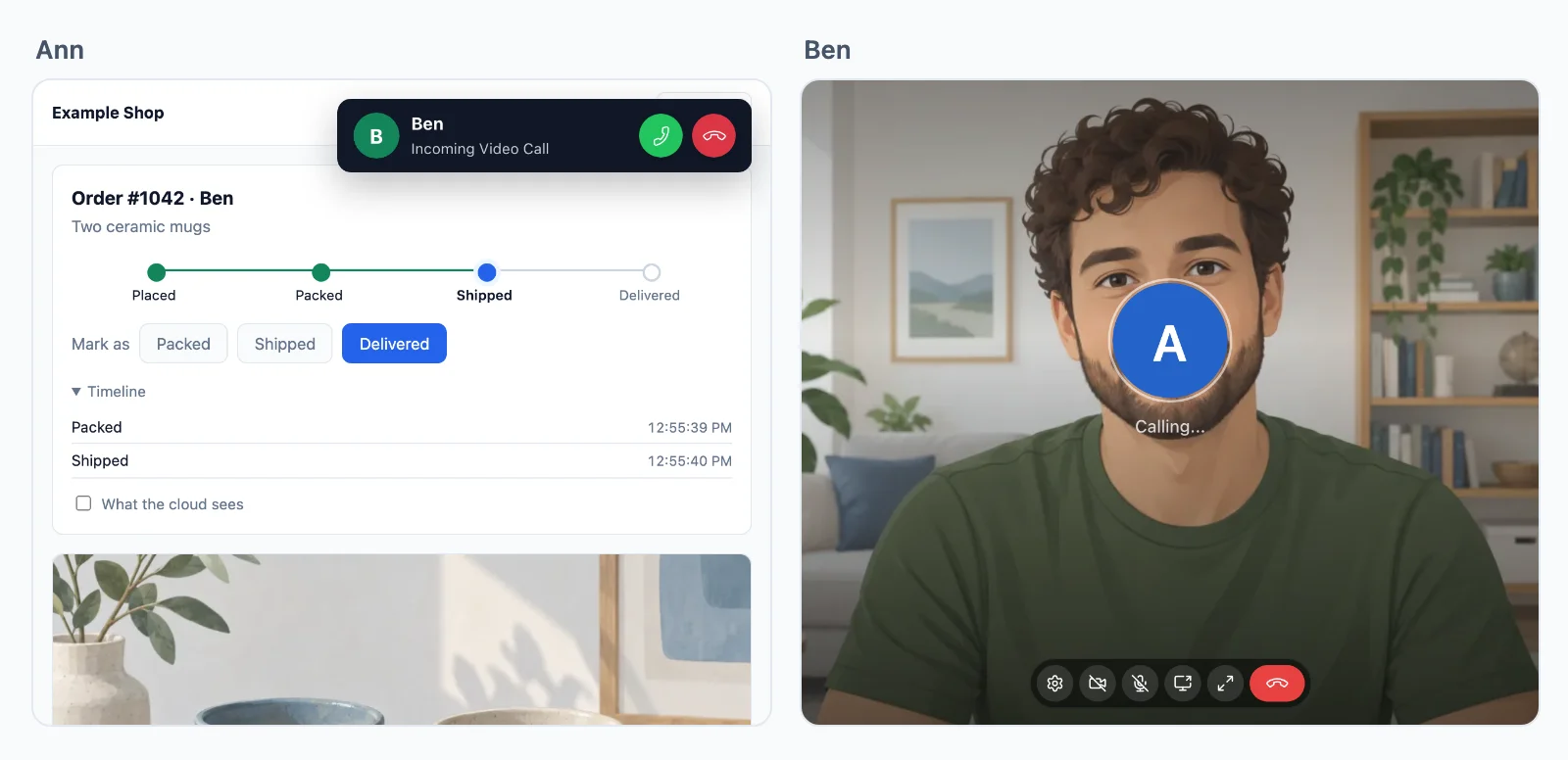
Start it on every page where a call may ring, and put buttons where people call from:
await rt.callScreen(); // the ring and the call window, on this page
<call-button to="{{ agent.id }}" call="support:{pair}" type="video" name="{{ agent.name }}">Call {{ agent.name }}</call-button>
<room-button room="meeting:daily" type="video" title="Daily meeting">Join the meeting</room-button>
{pair}incallis filled in with the page user and the one called, in order, so whichever of the two calls names the same call:support:34:42.- A list with call buttons:
<online-list room="shop" call="support:{pair}">puts one on the row of every member (presence). - Its words come in English, German, Spanish, French, Italian, Dutch, Polish, Croatian and Hebrew, by the page
<html lang>.rt.callScreen( { strings: { … } } )changes any of them. - Its look is that of Better Messages, in a shadow root: your styles do not reach in, and its colours are CSS custom properties your page sets.
- Group calls load the room client and its encryption worker from the routes, which the page settings name: nothing to add.
- Leaving during a call asks first, in the browser's own words: another page, a reload or a closed tab would end it, as every page of yours loads anew.
The call in its chat
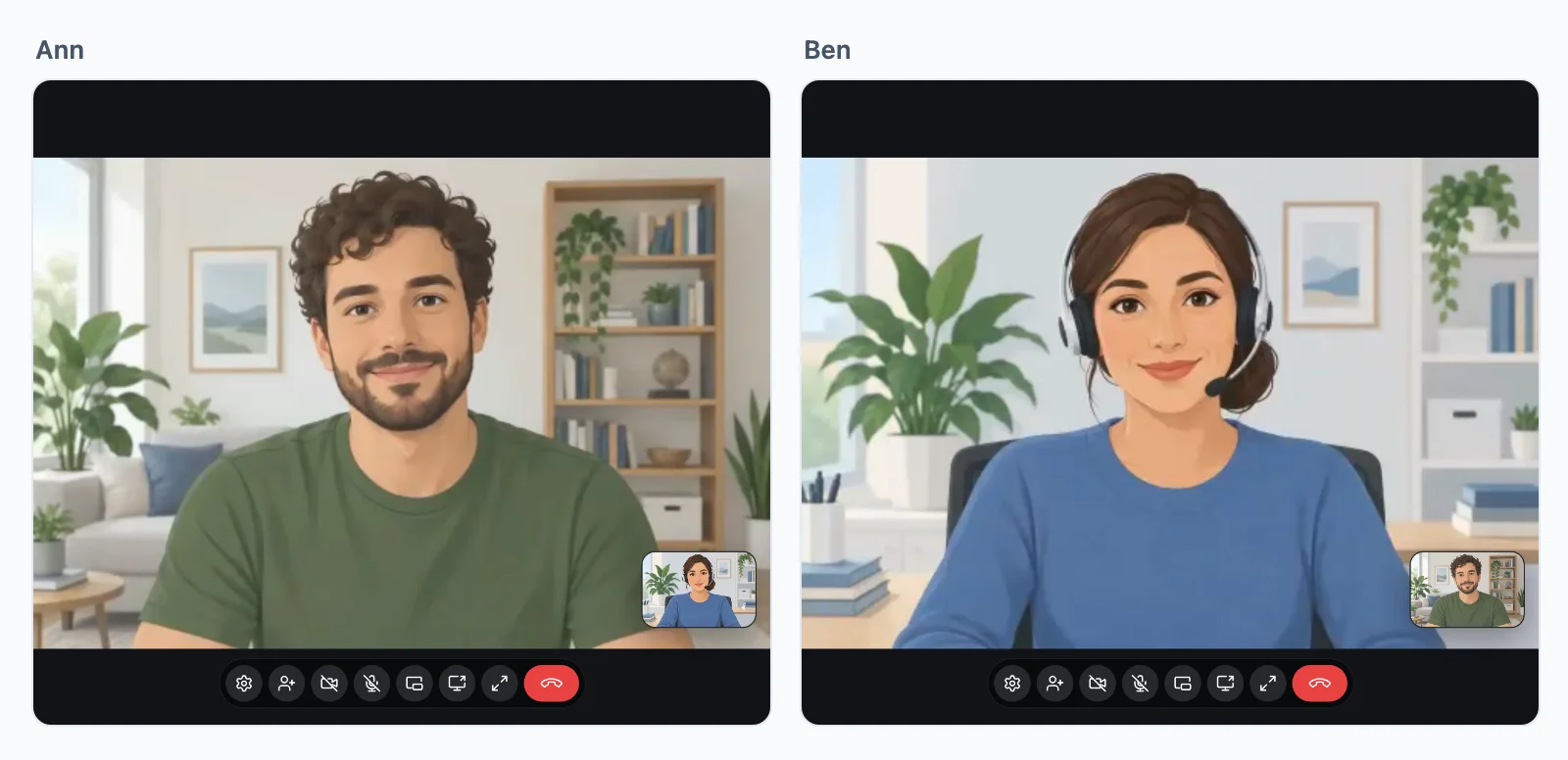
A conversation between two can hold its own call: the other person on the chat's top bar with a video and an audio call button, and their call in the chat itself while it is on, beside the messages. Give the chat the other person, with their name and picture as your page has them, and call, the call named as the room, which your calls rule for chat:{a}:{b} decides, as the rule for support:{a}:{b} above:
<chat-room room="chat:34:42" to="42" name="Ben" avatar="/photos/42.jpg" call style="height: 560px"></chat-room>
Narrower than 600px, the call takes the whole chat, and Show Chat in its controls puts the messages under it. start-call="video" calls them once as the chat opens, for a Video button elsewhere that links to the chat (<chat-room>).
The call in the page
The call screen opens a call in a window in the corner, over the page. To show it in the page itself, above a chat or in place of a picture, put a <call-spot> where it goes, naming the calls it takes:
<call-spot call="support:{a}:{b}" style="height: 480px"></call-spot>
A call shows there as it starts, until it ends or the page closes. With no call, the spot takes no place, or shows what you put inside it (<call-spot>).
Straight into a meeting
A meeting room can take people in as they open its page, with no button to press. join on the spot joins the group call it names, as its <room-button> would, and your rule decides as for the button. Here your route writes it only while the meeting is on, so the first one in still starts it with the button inside:
from starlette.concurrency import run_in_threadpool

@app.get("/teams/{pk}")
async def team_page(request: Request, pk: int):
    room = f"meeting:{pk}"
    # A request to WordPlus Cloud: off the event loop.
    meeting = await run_in_threadpool(realtime.call(room).get)
    head = realtime.head(await current_user(request))
    context = {"realtime_head": head, "room": room, "on": meeting["people"] > 0}
    return templates.TemplateResponse(request, "team.html", context)
<call-spot call="{{ room }}" {% if on %}join="video"{% endif %}>
    <room-button room="{{ room }}">Start the meeting</room-button>
</call-spot>
It joins once: someone who leaves, or whom the host takes out, stays out while the page is open, and opening the page again joins again (straight into a meeting).
Camera, microphone and sound
- Off as they come in. They come in with the camera and microphone off, and turn on what they want from the call's controls, so the browser asks for neither as the page opens.
join-with="microphone", or"microphone camera", has them on as they come in.- Sound. A browser plays sound only once the person has clicked or typed on the page, or on the page of your site they came from. A page opened straight into a meeting, from a link in a new tab say, shows the others and Turn sound on over the call: their voices start at that click, or at any other on the page.
Adding people
Once a call is up, either side may ring someone else in, and it goes on as a group call. Say whom the call screen offers:
# The staff not in the call, each still asked of may_call.
def staff_to_add(user, call):
    return [id for id in staff_ids() if str(id) not in call.split(":")[1:]]

realtime.calls("support:{a}:{b}", may_call, people=staff_to_add)
The screen then shows an Add Person button, listing them with the names and pictures from your profile. The person added is asked of your rule as any call: user calling them about the call name, then them taking a call from user. The call goes on as a group call, and takes credits as one.
Speakers and listeners
A class, a town hall or an audio room: a few speak and everyone else listens. Your rule makes the listeners ("publish": False), and your server lets someone speak while the call runs (classes, webinars and audio rooms). For one person live to a large audience, with guests on stage, see live streams and interviews and questions on stage.
The rule of a class, class:7, says:
- The teacher speaks, and hosts the class.
- Anyone who is not a student is turned away.
- A student listens until the teacher lets them speak.
# app.py
def may_join_class(user, p):
    # 1. The teacher speaks, and hosts the class.
    if is_teacher_of(p["id"], user):
        return {"admin": True}

    # 2. Anyone who is not a student.
    if not is_student_of(p["id"], user):
        return False

    # 3. A student listens until let speak.
    return {"publish": may_speak(p["id"], user)}

realtime.group_calls("class:{id}", may_join_class)
A Let speak button of your own, in a list of raised hands beside the call, posts to a route of yours, which:
- Takes it from the teacher alone.
- Keeps the choice where the rule reads it, for every join after.
- Changes it in the call at once.
from fastapi import HTTPException, Request
from pydantic import BaseModel
from starlette.concurrency import run_in_threadpool

class Speaker(BaseModel):
    user: int
    speak: bool

# The Let speak button of the teacher. Your lookups and WordPlus Cloud block: off the event loop.
@app.post("/classes/{pk}/speakers", status_code=204)
async def speakers(pk: int, body: Speaker, request: Request):
    # 4. The teacher alone.
    if not await run_in_threadpool(is_teacher_of, pk, await current_user(request)):
        raise HTTPException(status_code=403)

    # 5. Kept where the rule reads it, for every join after.
    await run_in_threadpool(set_may_speak, pk, body.user, body.speak)

    # 6. At once in the call: their page hears `permissions`.
    await run_in_threadpool(realtime.call(f"class:{pk}").permit, body.user, publish=body.speak)
- On the call screen, the teacher, as host, has Manage Participant on the tile of each student: Promote to Speaker and Demote to Viewer in an audio call, Allow Camera & Mic and Stop Camera & Mic in a video call. They change the call as
permit()does, through your calls route. Your route above also keeps the choice for the joins after. - A student let speak finds the microphone and camera in the call controls. Made a listener again, they go, and what the student sent stops.
- A token signed for them before follows the change, so an older one cannot undo it. A token signed after follows your rule, so keep who may speak where the rule reads it, as
set_may_speak()does. - Raised hands are a room of the same name, which carries a
handevent, and the page of your own call readsgroup.canandperson.publish(speakers and listeners).
Your own call interface
The call screen is built on this, and nothing else:
const calls = await rt.calls();

const call = await calls.start( 'support:34:42', { to: 34, type: 'video' } );
call.on( 'state', ( state ) => show( state ) );       // ringing, connecting, connected, reconnecting, ended
call.on( 'path', ( path ) => show( path ) );          // direct, relay or room: the path it connects on now
call.on( 'remote', () => call.remote.camera?.attach( video ) );
call.on( 'autoplay_blocked', () => showSoundButton() );   // the browser holds the sound back until a click

calls.on( 'incoming', async ( incoming ) => {
    const answered = await incoming.accept();     // the call, or the group call it rings into. Or incoming.decline( 'busy' )
} );

const meeting = await calls.group( 'meeting:daily', { type: 'video' } );
meeting.on( 'person', ( person ) => person.camera?.attach( tileFor( person ) ) );
if ( meeting.can.admin ) await meeting.moderate( 'mute', 43 );   // a host: mute, speak, listen or remove
From your server
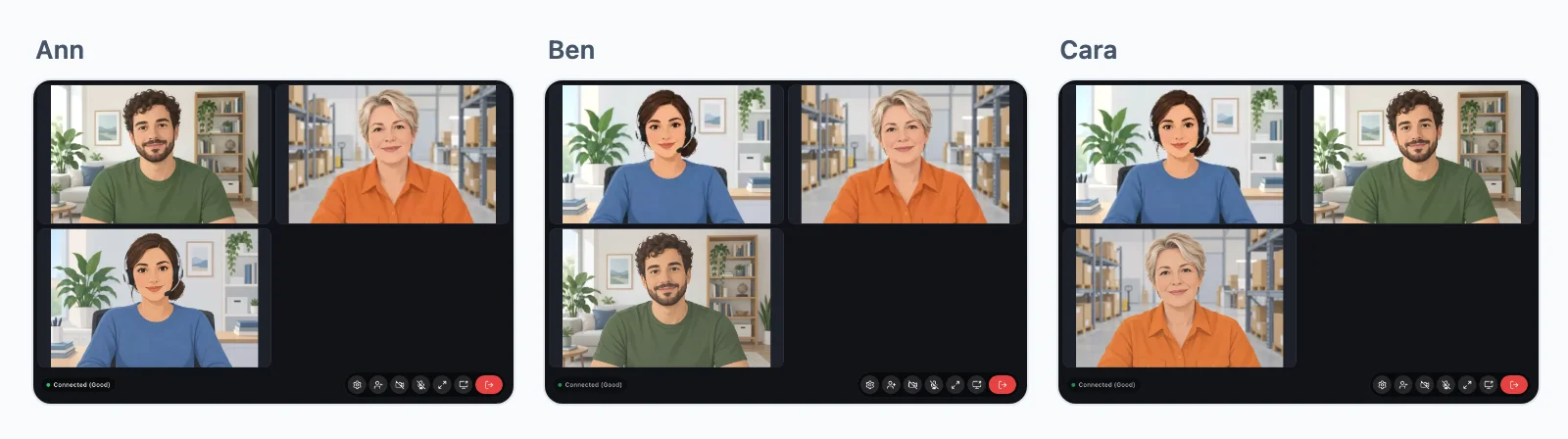
Your server sees the group calls going on and runs them, with no page open:
realtime.list_calls()                     # [{"name", "people", "started_at"}]
call = realtime.call("meeting:daily")
call.get()                                # {"people", "started_at", "list": [{"user", "joined_at", "camera", "microphone", "screen"}]}
call.permit(43, publish=True)             # a listener let speak, publish=False back to listening
call.mute(43, "microphone")               # "camera" or "screen" too: they may turn it on again
call.remove(43)                           # out now, their tokens from before refused
call.end()                                # out, everyone
- They block: run them with
run_in_threadpoolin an async route, asawait run_in_threadpool(call.get). - A host's buttons are on the call screen already, for whom the rule answers
admin. Buttons of your own call a route of yours that checks who asks, then these, as the Let speak route above. get()with nobody in the call answerspeople0,started_atNone and an empty list, as straight into a meeting reads it.started_atis when this call began: one named again after everyone left begins again.- A call between two people runs between the two, so it is not in
list_calls(). Once someone is added it is a group call, namedcall:and its id.
Every event, why a call ended, and what WordPlus Cloud sees: calls in depth.