Encryption and your users in Flask
What your app sends through WordPlus Cloud is sealed on the way: the realtime servers carry it, and keep the history of a room, without being able to read or change it. You write no encryption code. Your server holds the keys and gives each user the ones they may have. The page opens everything before your listener sees it.
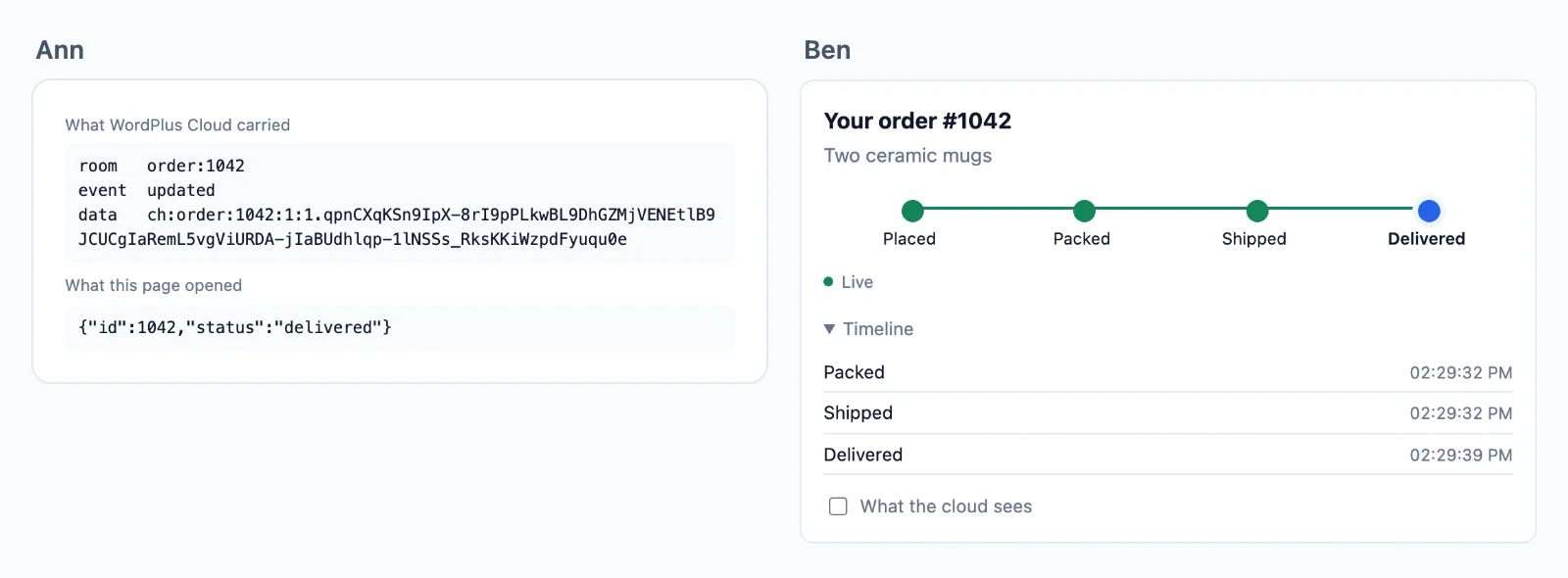
What is sealed
| What | Sealed with | Who can open it |
|---|---|---|
| Events to a room, from your server or a page, and its kept history | the room key | whoever the room rule lets in |
The info of a presence member | the room key | the same |
Events your server sends a user (to_user) | the key of the user | the pages of that user |
| What the people in a call see of each other | the day key | everyone your app knows |
| Your users in the directory | the day key | everyone your app knows |
| The media of a call between two people, and of a group call encrypted end to end | a key for that call | its people |
A room declared public=True is not sealed, and neither is one with seal=False. The realtime servers see room names, event names, user ids, which key a value needs, and sealed values. They never hold a key.
Calls and live streams
- A call between two people is encrypted end to end on every path: direct between the two, through our relays, or through our media servers.
- A group call is encrypted end to end when it comes from a call, as someone is added, or when its rule says
encrypt=True(permissions). - A live stream is not encrypted end to end: its picture and its chat are for everyone watching, so they are encrypted on the way, and the media servers see them.
An encrypted call is encrypted in the browser, with a key your server makes from its local key and gives only to the people in the call: our relays and media servers carry what they cannot read.
Your local key
WORDPLUS_LOCAL_KEY is the master every key is derived from. Keep it the same on every server and worker of the app (Python, Node and PHP derive the same keys from it), as long as the app, and out of every page. A new one means pages holding old keys cannot open what comes, until they reload, and the history kept before cannot be opened at all.
When someone loses access
Move a key on, and what comes next is sealed from them. The key generations live somewhere every server and worker sees, such as Redis:
import redis

store = redis.Redis.from_url(os.environ["REDIS_URL"])

class RedisGenerations:
    def get(self, name):
        value = store.get("wordplus-realtime:" + name)
        return int(value) if value is not None else None

    def set(self, name, generation):
        store.set("wordplus-realtime:" + name, generation)

realtime = Realtime.from_environment(profile=profile, generations=RedisGenerations())
realtime.in_room("chat:34:42").kick(43)   # out of the room now, and its key moves on
realtime.rotate_room("order:1042")        # the order moved to another customer
realtime.rotate_user(user_id)             # their own key moves on
Those still let in get the new key from your server with the next event, and keep the old ones for the history before it.
Signing out
A single-page app calls rt.close() when its user signs out, before another user signs in on the same page: it closes the connection and forgets the keys of the page.
Your users
A directory of your users, each profile sealed with the day key, that every page of your app reads. profile says what the profile of a user is:
def profile(user_id):
    with Session(engine) as db:
        user = db.get(User, user_id)
        return {"name": user.name, "avatar": user.avatar_url, "url": f"/people/{user.id}"} if user else None
const users = await rt.users( [ 34, 42 ] ); // { 34: { user_id: 34, name: 'Ann', avatar: '…' }, 42: { … } }
- A user is in the directory once they have connected: a page sends its user identity, signed by your server with their profile, and may then read those of others. Ask again when someone comes online for a user not there yet.
- The same profile is what the ready-made parts and calls show of them, and the info of a presence member when the rule gives none.
Your own sealed values
A kind of key of your own is named after what it seals: note:12 for note 12. A page that lacks the key asks your keys route, and a rule answers: a function your server declares once for the kind note, given the rest of the name, 12. This rule says:
- Visitors who are not signed in get no key.
- Those who may read the note get its key, and nobody else.
def may_have_note(rest, user):
    # 1. Visitors get no key.
    if user is None:
        return False

    # 2. Those who may read note 12, and nobody else.
    return may_read(user, rest)

realtime.kind("note", may_have_note)

sealed = realtime.keys.seal_json(note_data, f"note:{note_id}")   # send it any way you like
import { keyring, labelOf } from '@wordplus/realtime';

await keyring().ensure( [ labelOf( sealed ) ] );   // asks your keys route for `note:…` if the page lacks it
const note = keyring().openJson( sealed );         // undefined when this user may not have it
The key derivation, and every label: encryption in depth.